
Translate files online for free
Upload a PDF, Word, PowerPoint, Excel or EPUB file and get the whole document translated with its layout kept.
Up to 2000 pages per file and no monthly cap; free translations wait in a queue. For large files or when you are in a hurry, we recommendthe OmniDoc desktop app: no page limit and no queue.
How to translate PDF and Word documents for free
- 1Upload the fileSign in with an OmniDoc account, then drop the file on the area above or click “Choose file”.
- 2Choose the target languageThe source language is detected automatically. Choose the language to translate into and click “Start translation”.
- 3Download the translationDownload it on this page when it is ready. The translation runs in the background, so closing the page does not stop it.
Example
An English city logistics report translated into Chinese as a bilingual version: the title, data cards and table stay where they were.
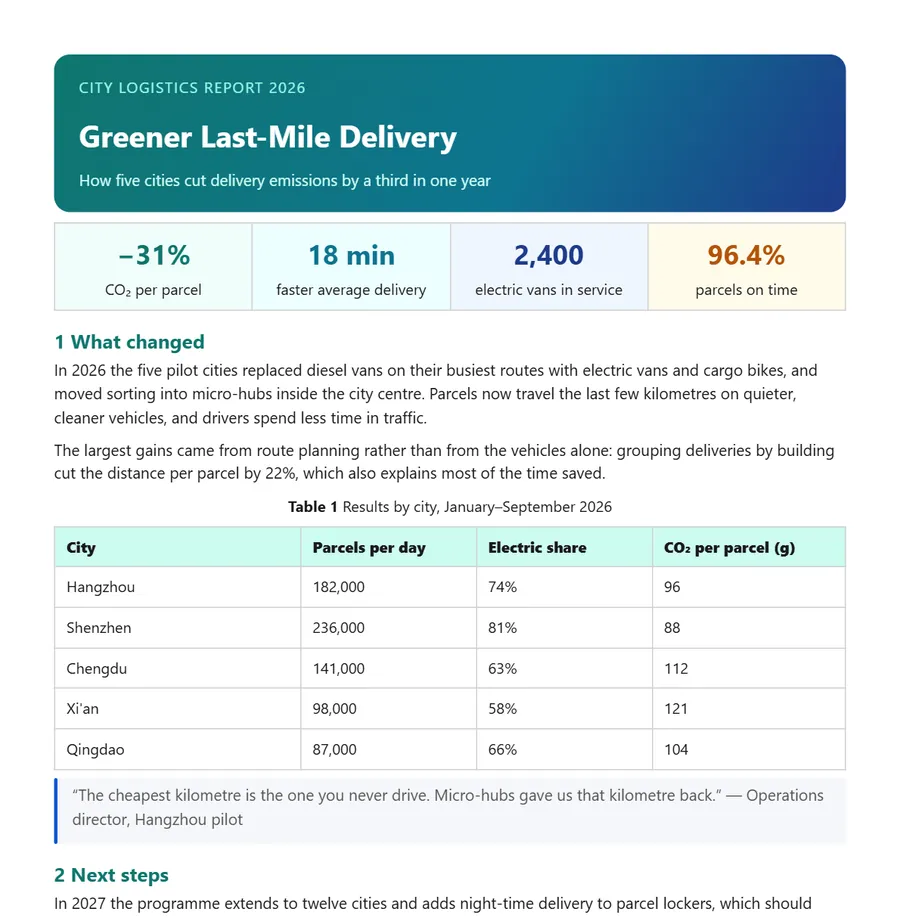
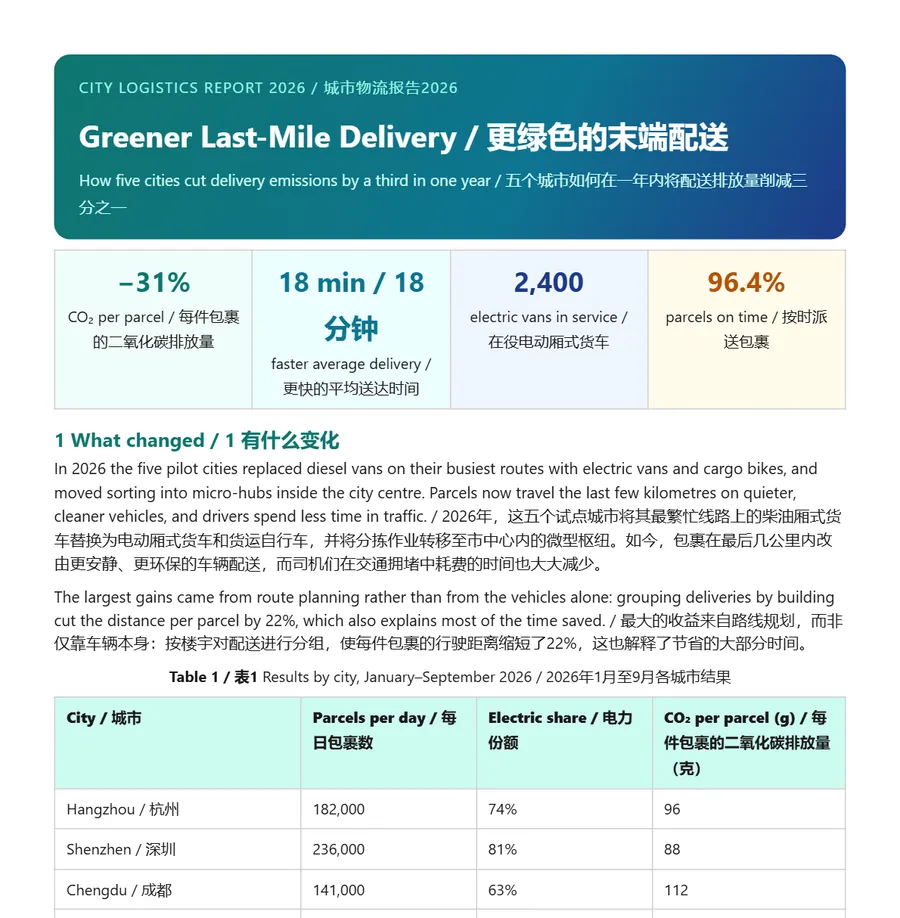
Both images are real OmniDoc output.
Supported formats
| File | What you get |
|---|---|
| PDF, LaTeX (a .tex file or a source archive) | A bilingual version and a translation-only version |
| Word、Excel、CSV、EPUB、Markdown、TXT、HTML | A translated file that keeps paragraphs, tables and styles |
| PowerPoint | Translation only (no bilingual version for presentations yet) |
| SRT and ASS subtitles | Translated subtitle files |
| JPG and PNG images | Translated images that keep the original background |
Questions
What are the limits of free translation?
Up to 2000 pages per file and no monthly cap. Free translations are processed in the order they are submitted, so the speed depends on the queue. We do our best on quality; if a result is not good enough, please bear with us. For large files or when you are in a hurry, we recommend the OmniDoc desktop app: no page limit and no queue.
Will the layout change?
The layout is kept as closely as possible. Complex tables, formulas and special fonts may differ slightly from the original, so check each page before you use it.
Can I translate a scanned PDF?
PDF files with a text layer work best. For a scan, recognise the text with the free document extraction first, then translate it.
How good is the translation?
The free version uses the XiRang XR-397B model. It is good for understanding a document quickly and for a first draft; for contracts, academic papers and other important files, check the figures, terms and citations.
How is free translation different from paid translation?
Paid translation is processed first, and you can choose the translation model, use a glossary and turn on context translation, for files that need a higher-quality translation.
Do I need an account?
Yes. Sign in with an OmniDoc account; signing up is free. Only you can see the files you upload and their results.
Where do I download the result?
Download it on this page when it is ready. The translation runs in the background, so leaving the page does not affect it; open this page again and sign in to find earlier files under “Recent translations”.
What if the file extension does not match the real format?
The real format is detected from the file content. For example, a .pdf file that is really a Word document is processed as .docx and comes back as .docx. Save old .doc, .xls and .ppt files as .docx, .xlsx and .pptx first.
Do I need to install anything?
No, it runs in the browser. For files with many pages or when you are in a hurry, we recommend the OmniDoc desktop app for Windows, macOS and Linux: no page limit and no queue.
The OmniDoc desktop app: smooth, 100% Office XML support, China's new national standards
The free desktop app for Windows, macOS and Linux opens, edits and saves files on your own computer.