 OmniDoc
It moves
Sliders, equations and charts are part of the document. Drag the temperature slider and the curve, the peak wavelength and the numbers in the text are recalculated together.
UniDoc · HTML dynamic documents
In OmniDoc, Word, Excel, PowerPoint, PDF and Markdown files open, edit and present in a web engine. A UniDoc .udoc document is also a web page: charts, animations, flowcharts, tabs and equations sit in the document, you edit it like a Word file, publish it as a link that stays interactive, and export Word, PDF or lossless HTML.
Written by the OmniDoc team about our own product.
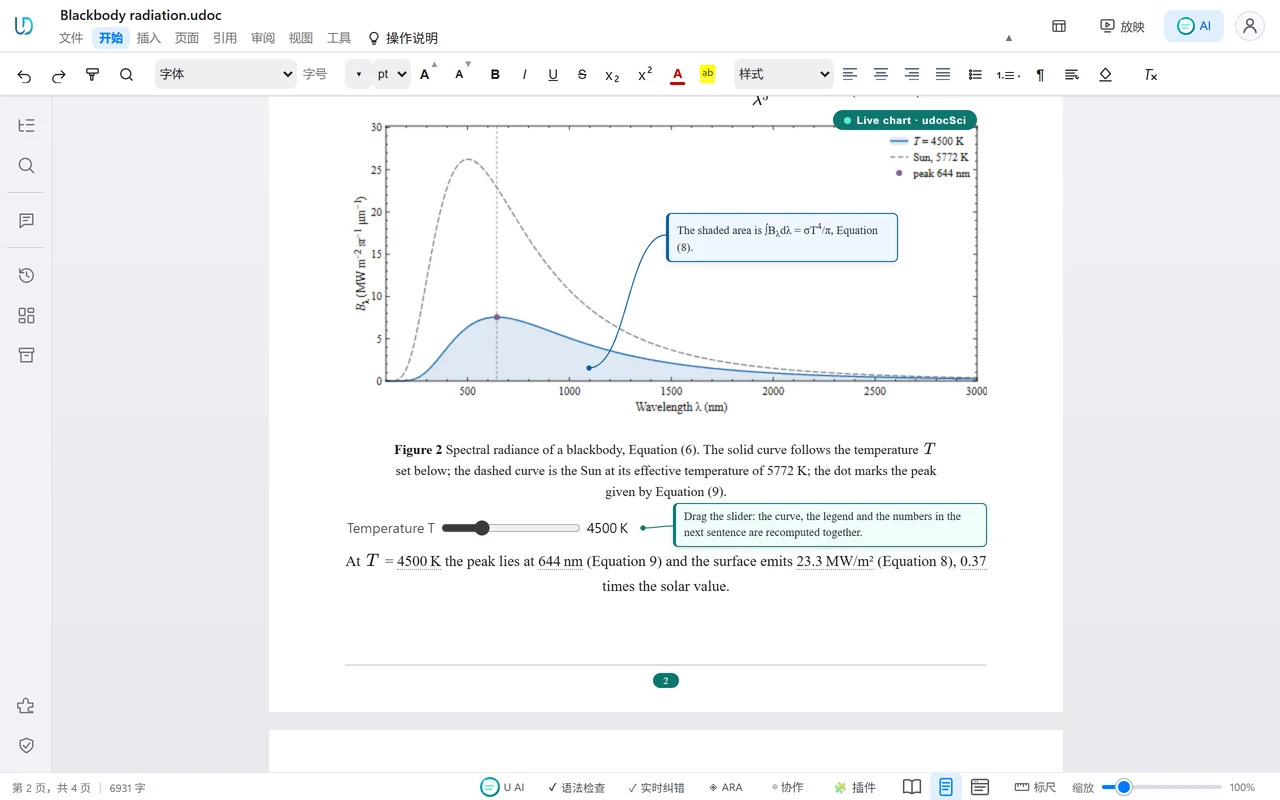
Sliders, equations and charts are part of the document. Drag the temperature slider and the curve, the peak wavelength and the numbers in the text are recalculated together.
A .udoc document is also a web page. Published as a link it stays interactive, and a browser is all a reader needs.
Edit it like a Word file, and export Word, PDF or lossless HTML for people who use other office software.
Word, Excel, PowerPoint, PDF and Markdown open, edit and present in a web engine. Export lossless HTML and publish it as a link in one click.
Converts to and from Word without loss, and exports lossless HTML.
Exports as a web page that plays as a slide show in the browser.
Exports lossless HTML.
Becomes HTML in about a second, with the layout unchanged and text you can select and copy.
Exports lossless HTML.
Conversion runs offline in OmniDoc Desktop and uses no credits; publish the result as a link in one click.
A .udoc document that is also a web page. It can hold interactive charts, animations, flowcharts, tabs and equations. You edit it like a Word file, publish it as a link that stays interactive, and export Word, PDF or lossless HTML.
.udoc is UniDoc's native document file. It keeps editable content, document styles and dynamic content. Open it in UniDoc with File > Open to keep editing.
Yes. In OmniDoc Desktop a PDF becomes HTML in about a second, with the layout unchanged and selectable text. Word, PowerPoint, Excel and Markdown files export to lossless HTML, and an exported deck plays as a slide show in the browser. Conversion runs offline, uses no credits, and the result can be published as a link in one click.
Yes. Charts, animations, flowcharts and equations stay interactive when published as a web page. Opened offline, content that depends on outside services may not update; printing or exporting a PDF shows a static view.
Yes. AI can create charts, animations, flowcharts and equations in one go: AI assistants create and edit .udoc documents through OmniDoc's MCP tools.
The desktop app and editors are free, and opening, editing and converting files on your computer needs no internet connection or account; translation, AI and publishing web pages need you to sign in online.
Download OmniDoc Desktop, create a document in UniDoc, or turn the Word, PowerPoint and PDF files you have into web pages.