 OmniDoc
Translation sample · One-page PDF
What a one-page PDF translation looks like
Below is a one-page English technical note with 3 equations, 1 chart and 1 three-line table, and OmniDoc's Chinese translation of it. The source was made with OmniDoc; the translation is OmniDoc's output as delivered, not edited by hand.
Written by the OmniDoc team. We made the sample document; download it freely for tests or comparisons.
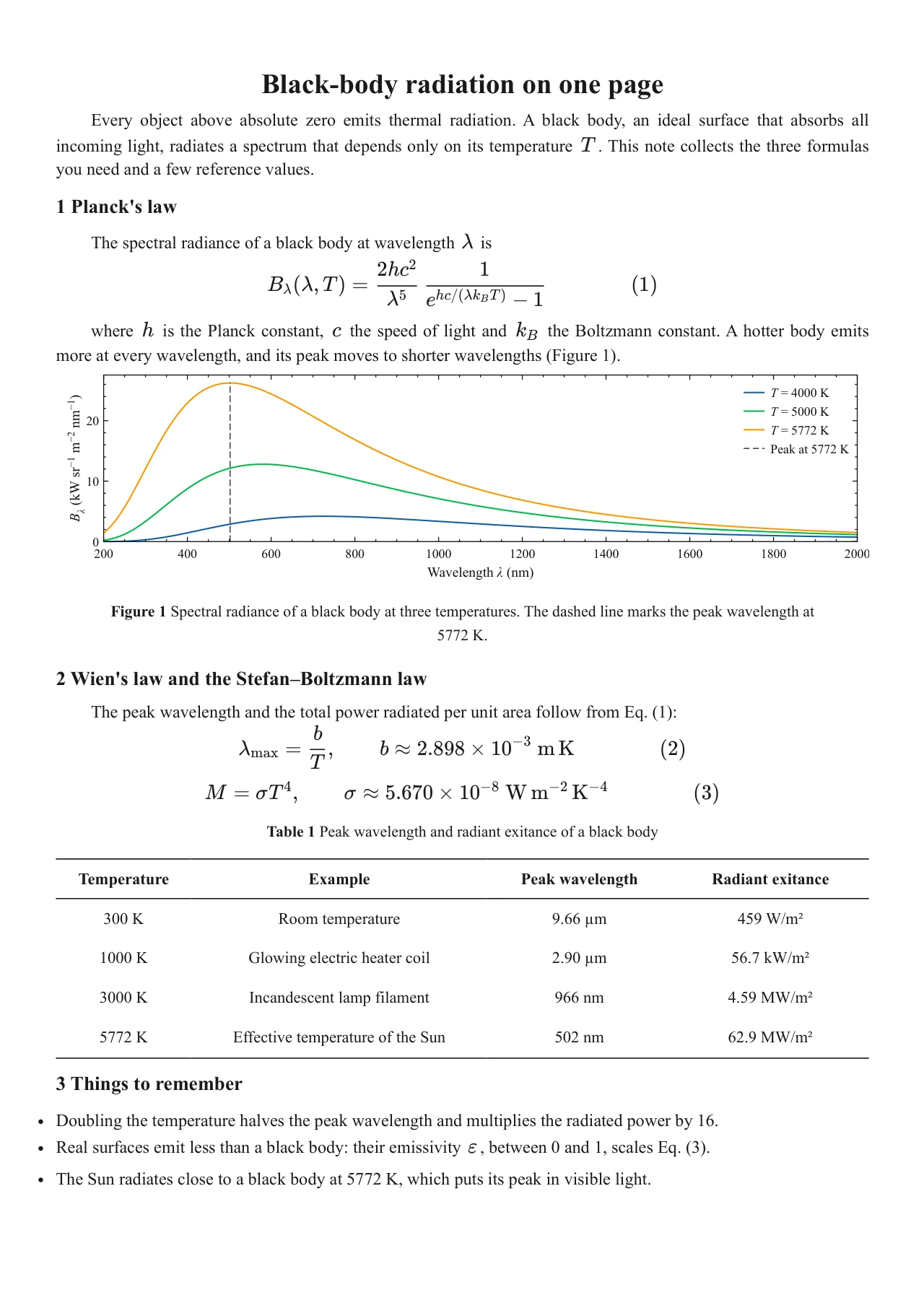
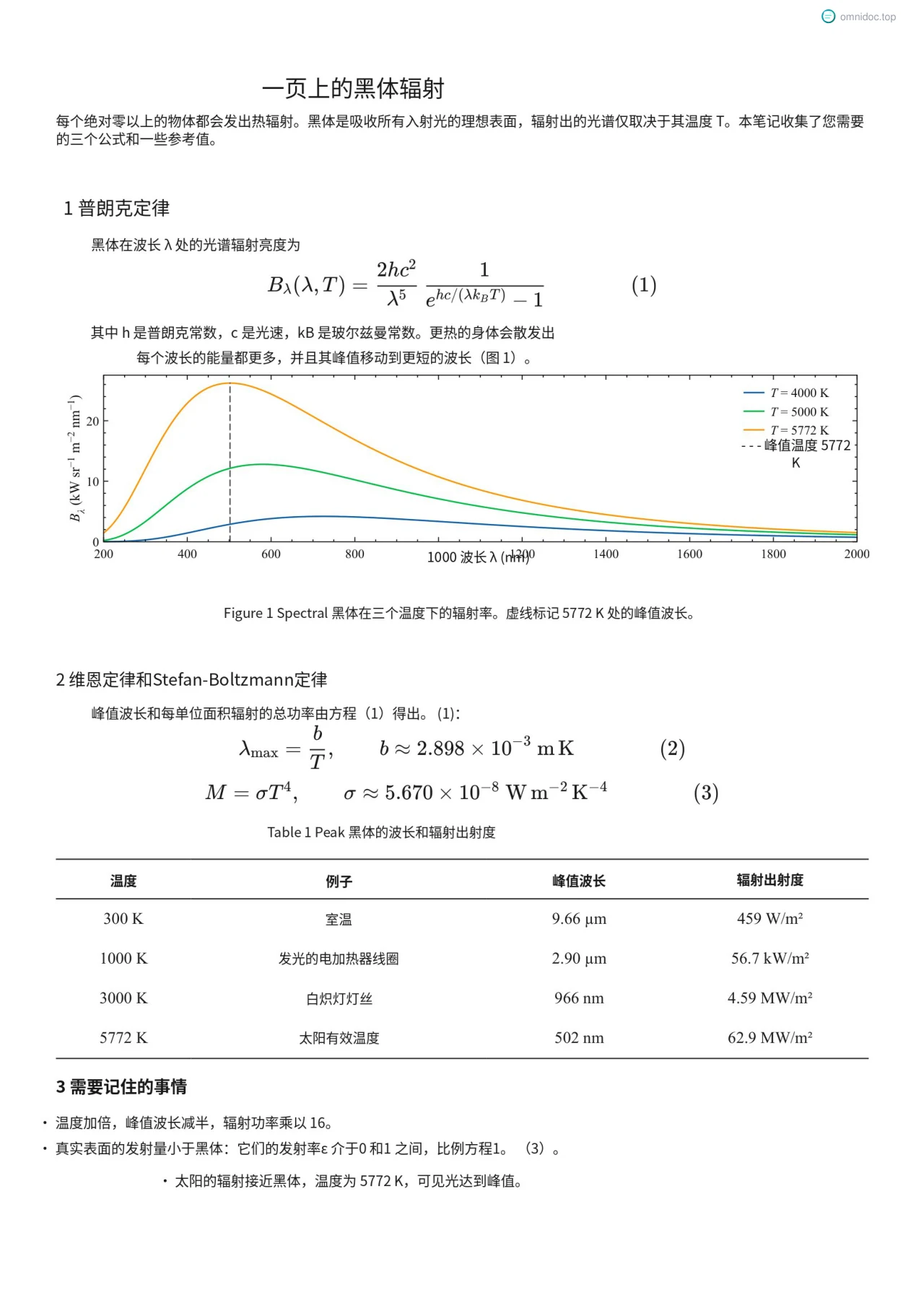
How this one was translated
- File
- One A4 page in English: a title, body text, 3 equations, 1 chart, 1 three-line table and a list.
- Settings
- OmniDoc paid translation, default engine, deep thinking and context consistency on, technical style.
- Time
- Under a minute.
- Result
- A translated PDF and a bilingual PDF; the equations, chart and table stay where they were.
Frequently asked questions
Can I try it with this sample file?
Yes. Download the source PDF, translate it with free document translation or OmniDoc Desktop, and compare the result with the one here.
Do equations and tables get scrambled?
In this sample the 3 equations, the chart and the three-line table stay in their original places, and the text and table contents are translated.
Which files are supported?
OmniDoc translates 22 formats, including PDF, Word, PowerPoint, Excel, EPUB, Markdown, HTML, subtitles, images and LaTeX sources.
Try it with your own file
Upload a file you know well and check the translation and layout; check important content against the original.